
Download Sysinfo VCF to CSV Converter – VCF to CSV, vCard Converter, Contact Management Tool
Overview
The Sysinfo VCF to CSV Converter is a specialized utility designed to streamline the transformation of vCard (VCF) files into CSV format, facilitating seamless contact data management across platforms. This tool addresses a common challenge faced by users who need to migrate or organize contact information from legacy vCard files into structured formats compatible with spreadsheets, CRM systems, or email clients. Its primary function is to ensure accurate, lossless conversion, making it particularly valuable for professionals managing large contact databases.
Target users include IT administrators, business users, and individuals seeking to consolidate or transfer contact data between devices or software. The app serves as a bridge between personal contact storage (commonly exported from smartphones or email clients) and structured data formats required for data analysis or integration. While the developer did not provide additional background details, the tool has received endorsements from IT professionals, suggesting a level of trust in its reliability.
Real-world use cases include preparing contact lists for marketing campaigns, migrating data during device upgrades, or integrating personal contacts into enterprise systems. In the broader app ecosystem, it fills a niche gap for users who require a dedicated, no-frills conversion tool without relying on complex or potentially insecure online services. The focus on data integrity and format versatility positions it as a practical choice for users prioritizing accuracy and control.
Key Features & Functionality
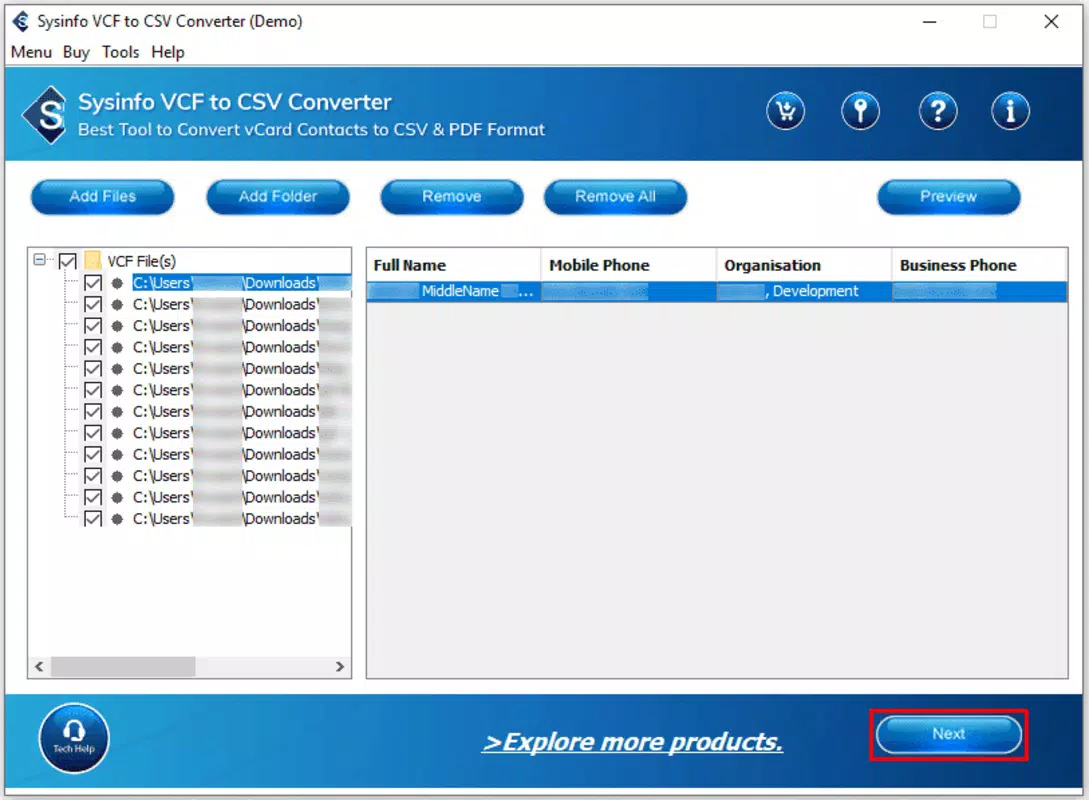
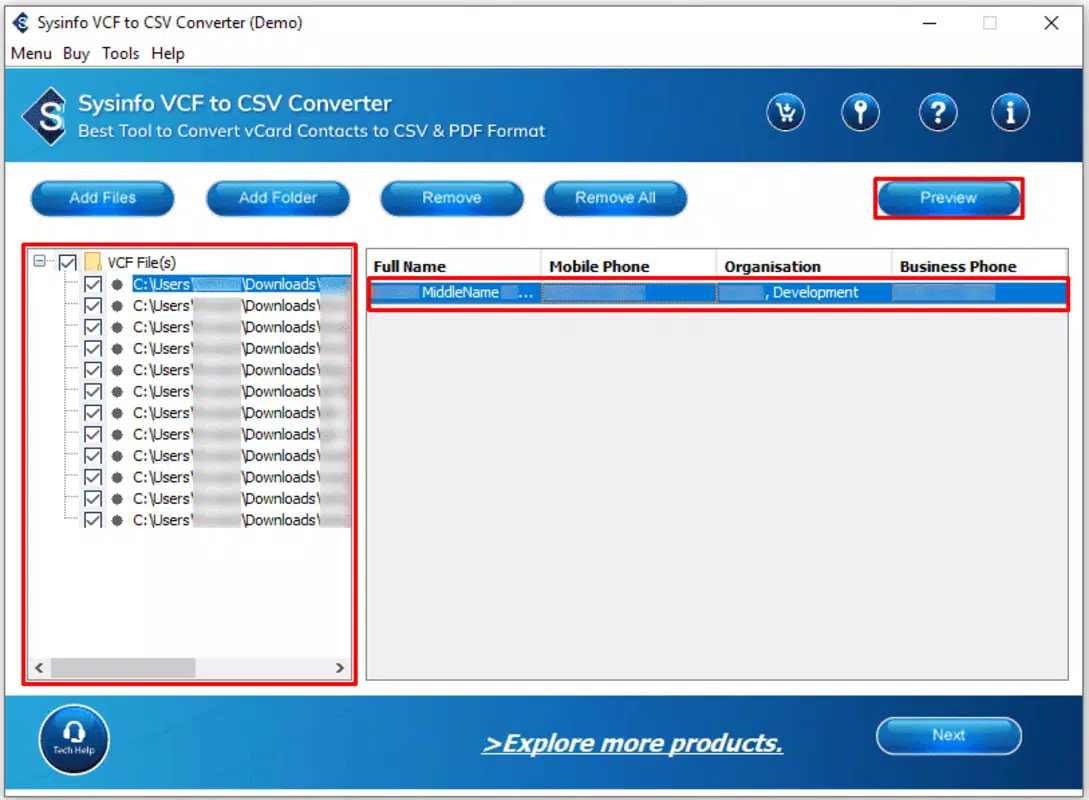
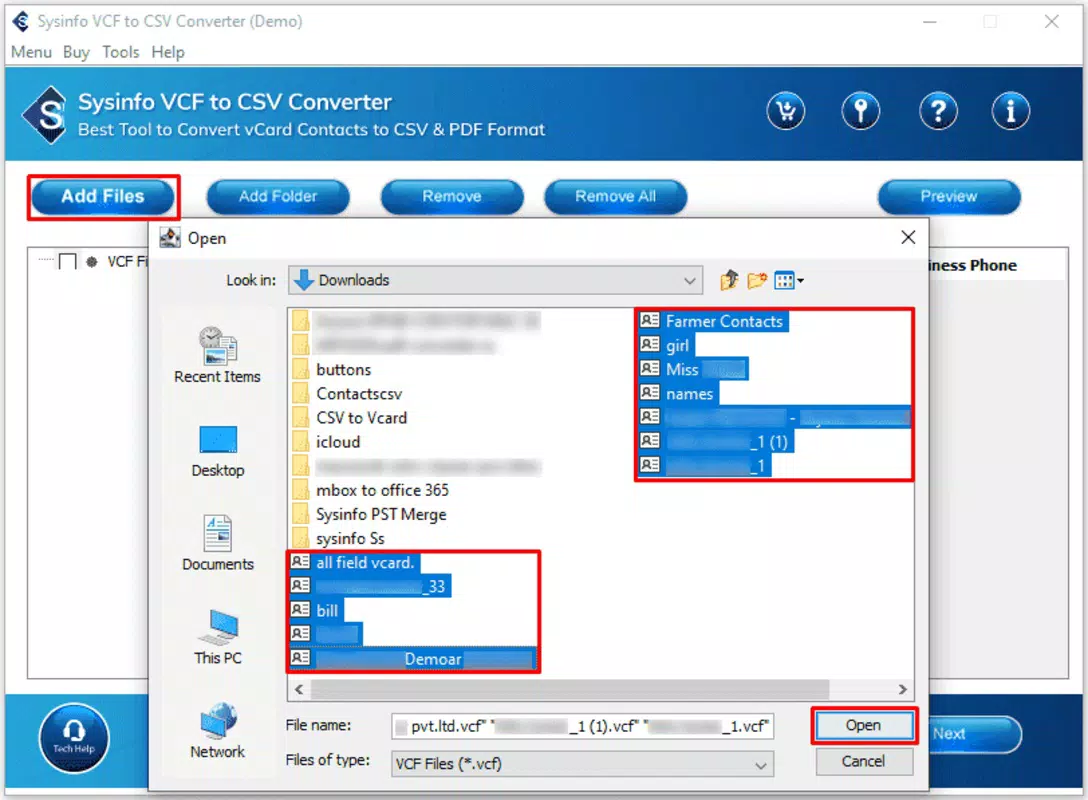
- User-Friendly Interface: The app features an intuitive layout that allows users to select VCF files with minimal effort. The process of choosing CSV as the output format is clearly defined, reducing the learning curve for new users.
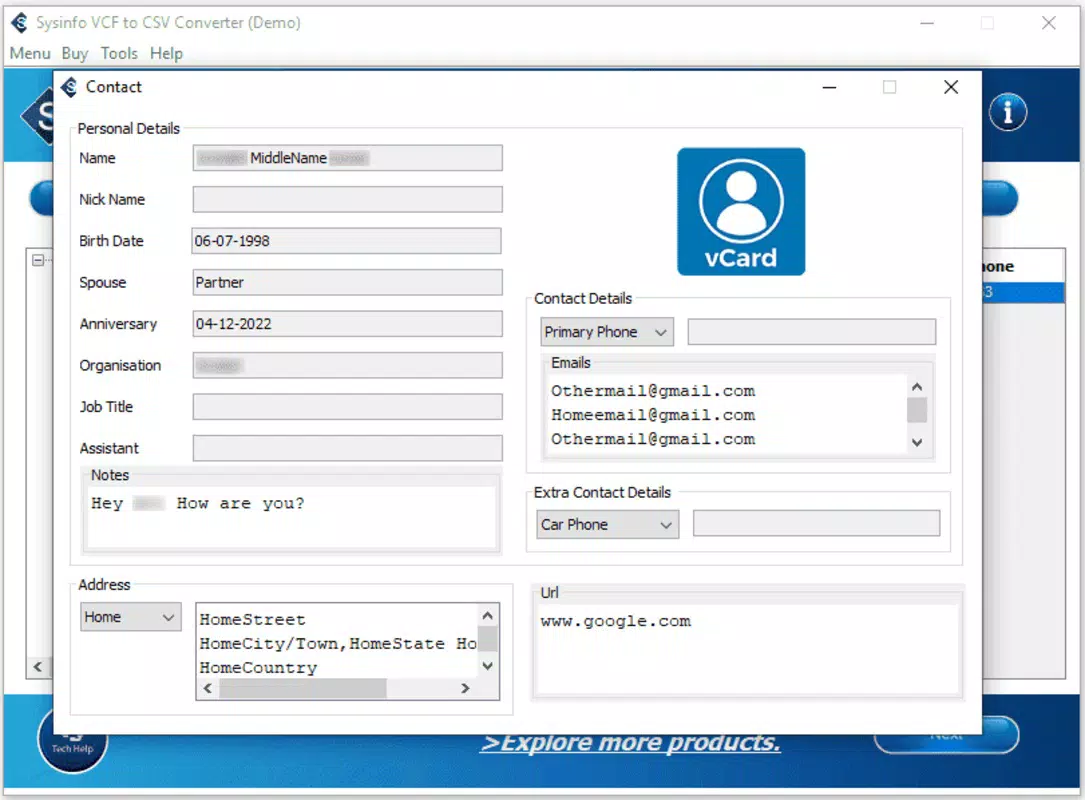
- Manage Contact Fields: This functionality enables users to filter which contact fields are included in the output. Options include exporting all fields or only those containing actual data, enhancing precision and reducing clutter in the final file.
- Export to PDF Format: In addition to CSV, users can generate PDF versions of their contact data. This expands the tool’s utility for sharing, archiving, or presenting contact information in a universally accessible format.
- High Data Integrity: The converter is designed to maintain 100% accuracy during the conversion process, ensuring no information is lost or corrupted. This is critical for users who depend on exact data replication.
- Compatibility with All vCard Versions: Support spans vCard v2.1, v3.0, and v4.0, allowing the tool to handle diverse input files from various sources and devices without compatibility issues.
For example, a business user preparing a contact list for a client outreach campaign can use the “Contact Fields Containing Values” option to exclude empty fields, resulting in a cleaner CSV file. Similarly, an IT administrator migrating user data across systems can rely on the tool’s accuracy to prevent data discrepancies. The ability to export to PDF also allows for easy sharing with team members who may not require spreadsheet access.
Interface, UX & Performance
The interface of Sysinfo VCF to CSV Converter is designed with usability in mind, featuring a clean layout that prioritizes clarity and direct access to core functions. Navigation is straightforward, with primary actions such as file upload and format selection clearly labeled and accessible from the main screen. The visual style emphasizes functionality over ornamentation, which aligns with the tool’s utility-focused purpose.
Users can expect a responsive experience when interacting with the app, though specific performance metrics were not disclosed. The developer did not list formal performance benchmarks or device-specific requirements. However, the app’s design suggests it is optimized for efficient processing, particularly given its focus on data accuracy and speed in conversion tasks.
Stability appears to be a strength, supported by professional endorsements and the claim of 100% data integrity. Although the developer did not specify minimum OS requirements or compatibility details, the app’s consistent functionality across different vCard versions indicates robust internal handling of file parsing and data mapping.
Platform Compatibility & Technical Requirements
Sysinfo VCF to CSV Converter is available for desktop platforms, though specific operating system details were not provided. The file size and software version were also not disclosed. Compatibility information was not fully disclosed, and the developer did not specify minimum OS requirements or hardware specifications.
Users should note that the app’s functionality is centered on file conversion, which typically requires minimal system resources. However, processing large VCF files may depend on available memory and processing power, particularly when handling thousands of contacts.
Pros and Cons
Pros
- Guaranteed 100% data accuracy during conversion
- Supports multiple vCard versions (v2.1, v3.0, v4.0)
- Offers export to both CSV and PDF formats
- Intuitive interface suitable for non-technical users
- Feature to filter contact fields for cleaner output
Cons
- Developer did not provide detailed technical specifications
- Platform availability and compatibility were not fully disclosed
- No information on update frequency or future development plans
- File size and version details were not listed
- Limited visibility into system requirements
FAQ
Is Sysinfo VCF to CSV Converter safe to use?
Yes, the tool is designed for secure local processing, ensuring that VCF files are not uploaded to external servers during conversion. This maintains data privacy and reduces exposure to potential breaches.
Can I convert multiple VCF files at once?
The developer did not specify whether batch processing is supported. However, the app’s design suggests it may handle multiple files sequentially, though this functionality was not confirmed.
Is the app available for mobile devices?
Based on available information, the app is primarily intended for desktop use. Specific mobile availability was not disclosed.
How accurate is the data conversion?
The tool claims 100% accuracy in data transfer, ensuring that all contact information is preserved without loss or corruption during the conversion process.
Are updates regularly released?
The update schedule was not provided. Users are advised to check the official source for the latest version and security patches.
Final Thoughts
Sysinfo VCF to CSV Converter stands out as a dependable, no-nonsense solution for users needing to convert vCard files into structured formats. Its emphasis on data integrity, broad vCard compatibility, and dual export options make it a valuable tool for professionals and individuals alike. While technical details such as platform compatibility and system requirements remain unspecified, the app’s core functionality is robust and purpose-built.
Users who prioritize accuracy and control in contact data management will find significant value in this utility. Whether migrating contacts, preparing data for analysis, or sharing information across teams, the tool delivers reliable results without unnecessary complexity.
Download Sysinfo VCF to CSV Converter now


